
CLI
The interactive text wizard, and full headless/scriptable usage.
TvakCollector.exe is one exe, two modes, decided purely by whether you pass any arguments.
Interactive wizard
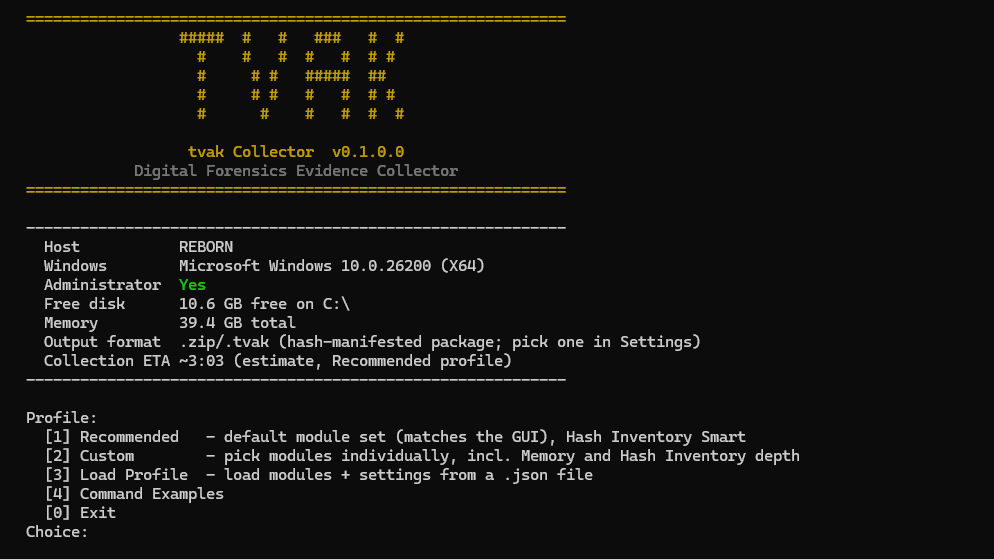
Run with no arguments and you get a guided text wizard: the dashboard above, then a profile menu:
[1] Recommended    - default module set (matches the GUI), Hash Inventory Smart
[2] Custom         - toggle modules yourself, choose Hash Inventory depth, opt in to Memory
[3] Load Profile   - load modules + settings from a JSON profile file
[4] Command Examples
[0] Exit
Any option leads to a Settings prompt (output directory, mission/package name, .zip/.tvak, compression, keep-working, memory tool if selected) and a confirm-before-running summary.
TvakCollector.exe -h shows help without ever
entering the wizard.
Headless
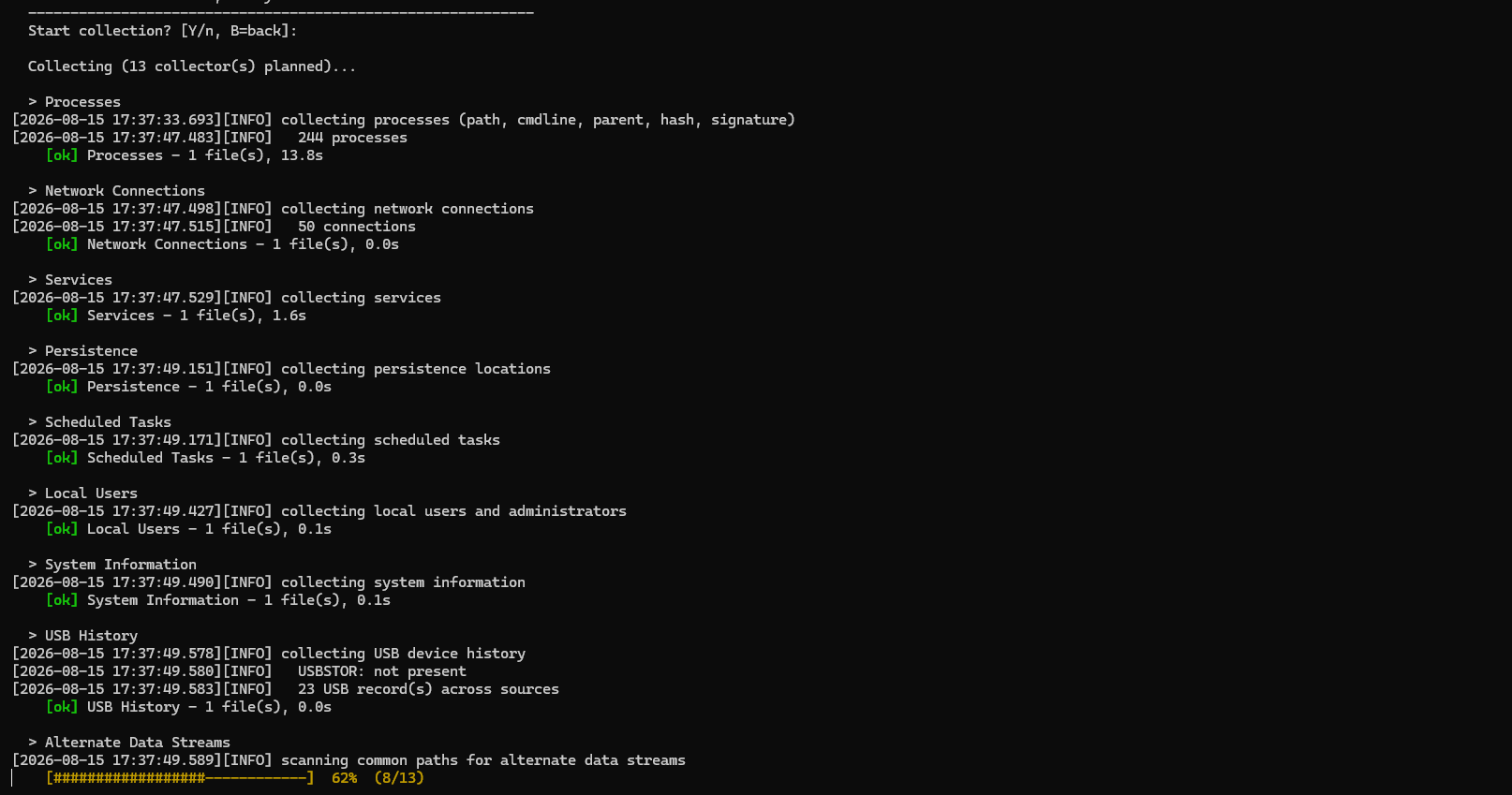
tvak Collector (TvakCollector.exe) [options]
  -o, --output <dir>    Output root for the package and working files (default: current dir)
      --modules <list>  System,Processes,Network,Services,Persistence,Tasks,Users,EventLogs,Raw,
                        Browser,HashInventory,All (default: All)
      --extension <ext>  Output package extension: zip or tvak (default: zip). Same ZIP-based
                        container either way — .tvak just carries the branded extension.
      --memory                 Acquire volatile RAM, auto-detecting a winpmem exe next to this
                               collector or in the working directory (v1: go-winpmem). Requires admin.
      --memory-tool <path>     As --memory, but with an explicit winpmem path (always wins over
                               auto-detect). Either flag opts memory in; neither -> memory skipped.
      --memory-timeout <min>   Hang safety-net for memory acquisition (default: 60). On timeout the
                               partial dump is retained and recorded as Partial.
      --keep-working    Keep the intermediate DFIR_<stamp> working folder (default: removed after packaging)
  -h, --help            This help
Real examples
:: Full collection to a folder, default modules, .zip
TvakCollector.exe --output C:\Evidence

:: Only specific modules
TvakCollector.exe --output C:\Evidence --modules System,Network,EventLogs

:: Write a .tvak package instead of .zip
TvakCollector.exe --output C:\Evidence --extension tvak

:: Opt in to memory acquisition, longer timeout, keep the working folder
TvakCollector.exe --output C:\Evidence --memory --memory-timeout 90 --keep-working

:: Explicit winpmem path instead of auto-detect
TvakCollector.exe --output C:\Evidence --memory-tool D:\Tools\go-winpmem_amd64_1.0-rc2_signed.exe
Exit code is non-zero if any collector (or Raw/VSS artifact) ended up Failed — safe to check in a script. Full flag reference: Reference › CLI.
Load Profile (wizard only)
Option [3] loads modules and settings from a JSON file, so a repeatable
collection profile doesn't need to be re-typed by hand. See
Configuration › Load Profile for the schema.